vs Notion
Personal notes, not a workspace platform
Nightshale focuses on private personal notes instead of turning every thought into a shared workspace.
A private notes app that keeps your work on your device first, then lets you add sync, AI, widgets, and links only when they fit your workflow.
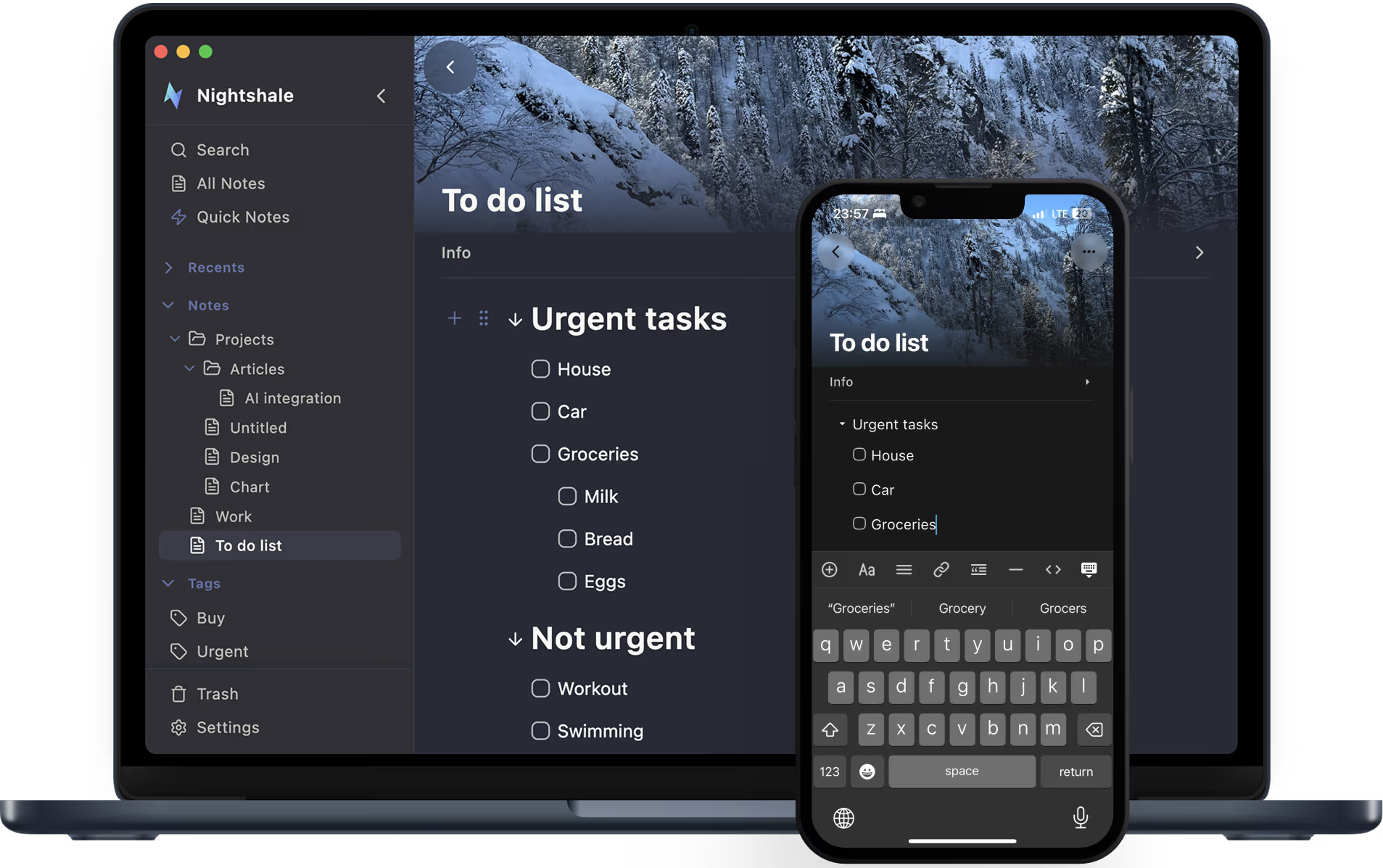
Simple enough for daily notes, thoughtful enough for people who care where their data lives.
vs Notion
Nightshale focuses on private personal notes instead of turning every thought into a shared workspace.
vs Evernote
Your notes stay local by default, sync uses storage you choose, and export stays simple when you want to move your writing somewhere else.
vs Apple Notes
Nightshale works across desktop and mobile, so your notes are not tied to one device family.
vs Obsidian
Nightshale includes AI commands, note links, mobile widgets, sync, recovery, and quick capture without asking you to build a custom plugin setup first.
Nightshale keeps the local-first base, then adds practical power: optional AI, real note links, mobile widgets, import, export, sync, and recovery.
Your notes start on your device, open quickly, and stay available when you have no connection.
Use Google Drive, Dropbox, WebDAV, S3-compatible storage, or iCloud when you want sync, or keep everything local. Nightshale never forces a new account.
Summarize notes, improve selected writing, extract tasks, generate titles, suggest tags, or add your own prompts. Choose OpenAI, Anthropic, Gemini, OpenRouter, DeepSeek, or local Ollama.
Write with blocks, images, files, code, callouts, dates, links, tags, folders, covers, icons, and note references that create backlinks automatically.
Open recent or favorite notes from iOS and Android home-screen widgets, create quick notes from the widget, and use swipe actions and bottom sheets on mobile.
Version history, sync repair tools, Notion import, Markdown archives, PDF export, and cloud Markdown sidecars help you recover and leave without lock-in.
Start writing locally, then add AI, links, widgets, sync, and recovery only when they help your workflow.
Start writing right away. Nightshale stores notes on your device first, so the app remains fast and offline-ready.
Use folders, tags, attachments, starred notes, local full-text search, note references, and backlinks to keep related work easy to find.
Choose a cloud provider such as OpenAI, Anthropic, Gemini, OpenRouter, or DeepSeek, or keep AI local through Ollama. You can leave AI disabled.
Connect storage you already use for sync, use encryption for synced data, and keep recent or favorite notes available from mobile widgets.
Version history, sync repair flows, Markdown archives, PDF export, and Notion import/export paths keep your notes portable.
Nightshale feels at home on the device in front of you, whether you are typing at a desk, opening a widget, or connecting one note to another.
Desktop
Move from capture to search to organization without breaking flow.
Mobile
Open notes or create a quick note from iOS and Android widgets.
Connections
Create note references and see backlinks in note details.
Install it on the devices you use, without creating an account or moving your notes before you are ready.
Signed installer for Apple laptops and desktops.
Standard installer for Windows PCs and laptops.
Choose the package format that matches your system.
Install the iPhone and iPad build from the provided IPA.
Universal APK plus device-specific builds for advanced installs.
Straight answers about privacy, AI, sync, widgets, import, export, and switching from another notes app.
No. The app is designed to work fully offline and locally before you connect any optional sync provider.
On your device by default. If you enable sync, data is stored with the provider you choose rather than a mandatory Nightshale backend.
The current project supports Google Drive, Dropbox, WebDAV, S3-compatible storage, and iCloud on supported Apple platforms.
Nightshale supports optional encryption for synced notes, so you can add extra protection before data reaches your cloud storage.
AI is disabled until you choose a provider. When enabled, the selected note or text is sent directly to the provider you configured, using your API key or local Ollama endpoint, not a Nightshale AI server.
Nightshale keeps version history and includes recovery tools, so earlier note states are easier to restore if sync ever gets messy.
Yes. Nightshale already includes a Notion import flow based on Notion Markdown and CSV exports.
Yes. Notes can be exported as Markdown or PDF, so you can keep portable copies or move your writing elsewhere.
The current product direction is much closer to a personal knowledge and notes app than a real-time team collaboration workspace.
Questions about releases, downloads, roadmap, or partnerships? Send us a note and we will reply.